How do I keep track of my Paysquad?
Updated
Open your Paysquad link to check progress, the deadline and your squad’s contributions. You can return using the same link you shared.
Can I see who chipped in?
The Your squad list shows contributions, names or nicknames and any messages people leave. If someone chooses to be anonymous, their name is hidden from you and the rest of the squad on that list. Their message can still be visible.
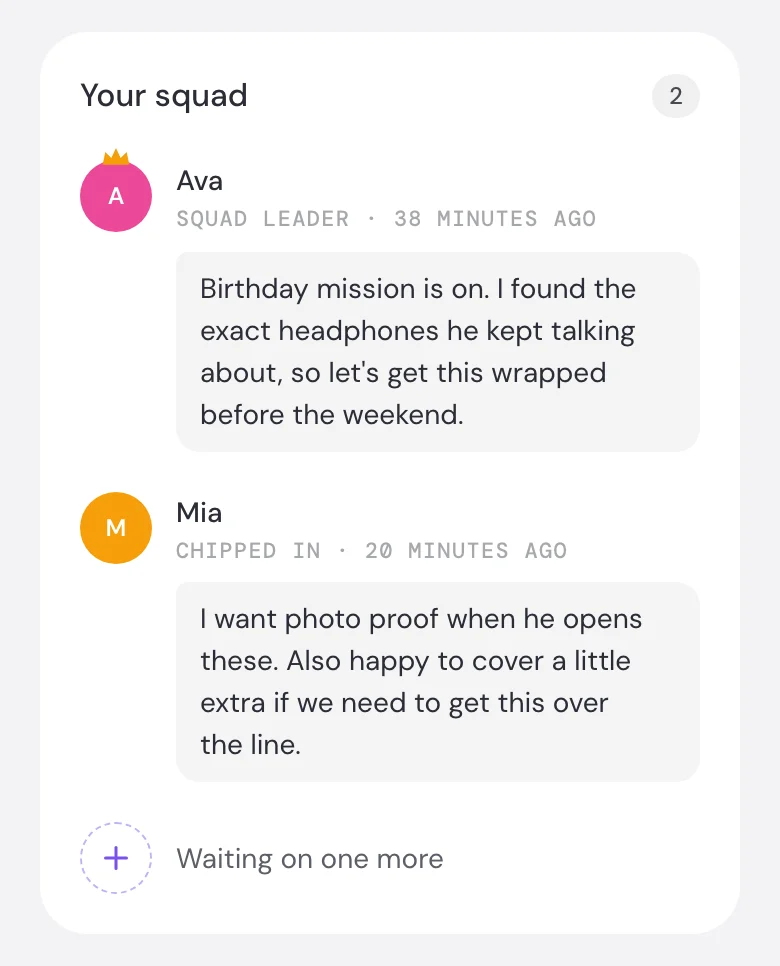
Individual contribution amounts aren’t displayed beside people’s names on the squad page.
What notifications will I receive?
Paysquad emails you updates about your squad’s progress and outcome, including contributions, completion or cancellation. If you chip in yourself, you also receive a contribution confirmation.
Deadline reminders go to you as the squad leader, so you can give your group a nudge. A reminder may not be sent for a Paysquad that’s only open briefly. Use the deadline on your Paysquad page to keep track.
What if I haven’t received an email?
- Check the inbox for the email you used with Paysquad.
- Look in spam or junk and search for Paysquad or notifications@mail.paysquad.co.
- Open your Paysquad link to check its latest status.
A missing email doesn’t mean a payment failed. If you’re unsure, check the page before trying to pay again. Use Contact Paysquad in the three-dot menu if you still need help. Include your link, the merchant’s name and the email you used.